A website redesign can mean new colors and layouts, but appearance is only one part of the decision. Sometimes the existing site has a sound foundation and needs focused improvements. In other cases, outdated technology, weak structure, or unreliable features make a rebuild more responsible.
1. Identify the business problem first
Write down what is failing. The site may attract the wrong inquiries, hide important services, look dated, load poorly on phones, depend on broken forms, or make routine updates difficult. A website redesign should solve named problems rather than begin with “make it modern.”
2. Review the current content
Keep accurate service explanations, useful FAQs, project proof, and pages that already earn qualified traffic. Rewrite thin, outdated, duplicated, or unsupported material. A rebuild does not require throwing away every useful sentence or established URL.
Before changing important URLs, review analytics, Search Console, backlinks, and internal links. Google recommends using one clear URL for each piece of content and redirecting old URLs when consolidation is necessary in its SEO Starter Guide.
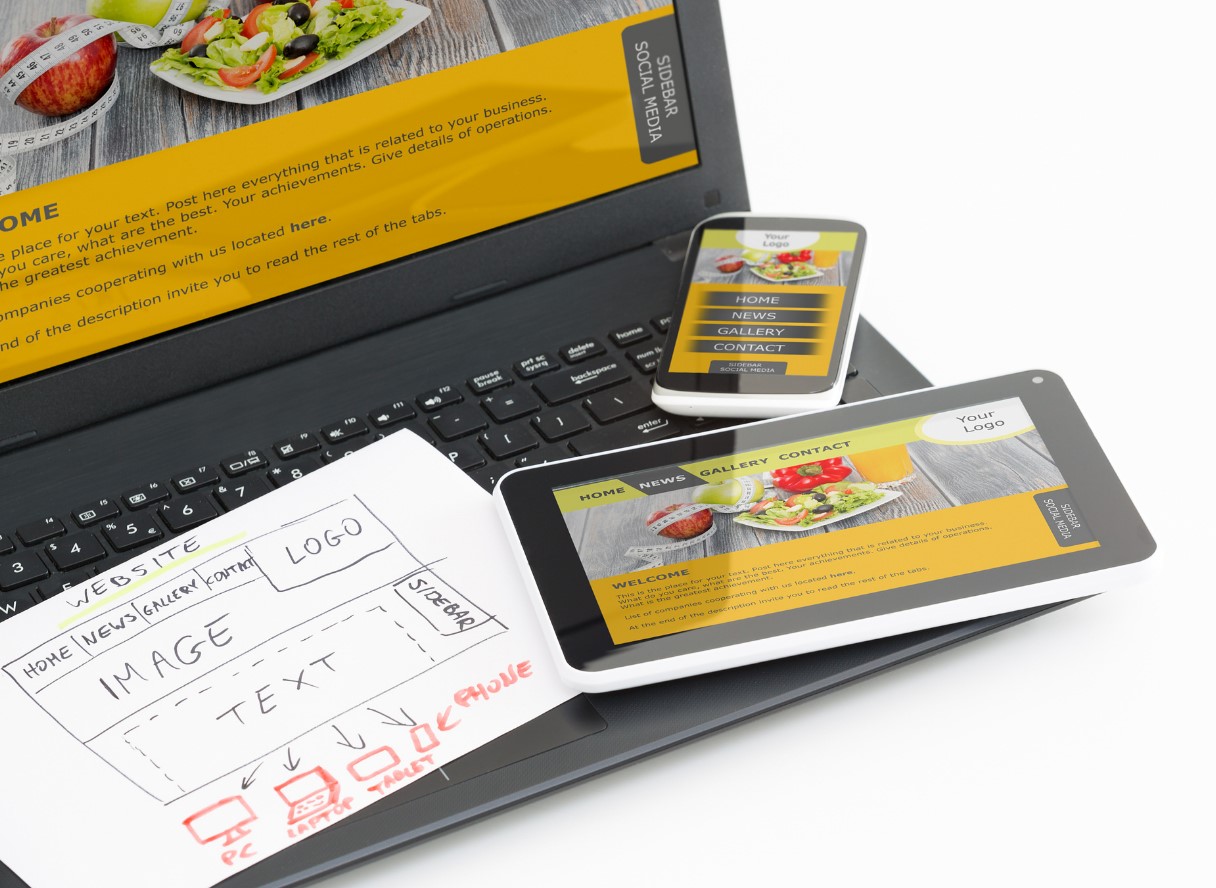
A redesign should improve the full customer experience across screen sizes.
3. Test mobile usability
If visitors must pinch, zoom, hunt for the phone number, or fight a long form, visual changes alone may not be enough. Check navigation, tap targets, form fields, text size, images, and calls to action on real phones.
4. Inspect the technical foundation
Review the content-management system, theme, plugins, hosting, security, backups, integrations, and update history. A website redesign can often remain on the existing platform when it is supported and documented. A rebuild becomes more likely when the site cannot be updated safely or depends on abandoned tools.
5. Check conversion paths
Every important service should lead to a clear next step. Calls, estimate requests, appointments, purchases, or consultation forms should be easy to complete and tracked correctly. A beautiful website redesign that does not improve these paths leaves the main problem unsolved.
6. Protect ownership and access
Confirm control of the domain, hosting, administrator accounts, analytics, Search Console, business profile, advertising accounts, premium licenses, and original media. Resolve missing access before a launch deadline creates pressure.
7. Compare phased improvements with a rebuild
A phased website redesign may begin with the home page, navigation, core services, contact process, and mobile issues. This can work when the foundation is stable. A rebuild may be cleaner when nearly every template, feature, and content path needs replacement.
8. Plan the transition
Document redirects, forms, tracking, backups, DNS, email dependencies, testing, and rollback plans. Del Vecchio’s web design services can connect the design work with SEO, analytics, hosting, and ongoing support.
Website redesign decision checklist
- Can the website redesign preserve useful pages and URLs?
- Can the website redesign fix mobile and conversion problems?
- Is the current platform safe and maintainable?
- Would a rebuild cost less than repairing several structural problems?
Document the website redesign decision
Create a short inventory before requesting proposals. Record the pages that should remain, content that needs revision, features that fail, integrations that must continue, and accounts the business controls. Add screenshots of mobile problems and examples of inquiries the current site attracts.
Ask each provider to explain whether the recommendation is a focused website redesign, a phased improvement, or a rebuild. The answer should connect to the documented problems. Keep the explanation with the proposal so the scope can be reviewed when new requests appear.
Protect useful search visibility during the change
Create a page inventory before removing, combining, or renaming anything. Record each current URL, page purpose, important internal links, organic landing-page activity, backlinks when known, and the proposed destination in the new structure.
Preserve a useful URL when the subject remains the same. When two overlapping pages become one stronger resource, select the preferred destination and prepare a direct redirect from the retired URL. Update menus, buttons, contextual links, canonicals, sitemap entries, and campaign links so visitors are not sent through avoidable redirect chains.
Copying old pages into a new design is not enough. Confirm titles, descriptions, headings, structured data, image alternatives, forms, thank-you actions, and tracking on the rebuilt version. Keep unsupported claims and outdated offers out of the migration simply because they existed before.
Choose a phased website redesign when risk is lower
A phased approach can begin with high-value problems: navigation, the home page, core services, mobile contact actions, and broken forms. It gives the business a chance to improve urgent paths while preserving a platform that still works.
Set boundaries for each phase. Document what will change, what will remain, how success will be checked, and which future phase handles the remaining work. Without those boundaries, a “small redesign” can become a series of disconnected changes that eventually costs more than a planned rebuild.
Choose a rebuild when the foundation creates repeated problems
A rebuild may be more responsible when routine updates break layouts, essential software cannot be maintained, the information architecture no longer fits the services, mobile problems exist across every template, or critical integrations cannot be supported safely.
Even then, rebuild the system—not the company’s history. Carry forward accurate content, useful URLs, approved media, analytics knowledge, and customer questions. The strongest redesign decisions preserve what already works while replacing what prevents the site from serving customers reliably.
Frequently asked questions
Will a website redesign hurt rankings?
It can if valuable content disappears, URLs change without redirects, internal links break, or indexing settings are mishandled. Careful inventory, testing, and monitoring reduce those risks.
Should the old website stay online during the rebuild?
Usually yes. Build and test the replacement in a private environment, then coordinate the launch after forms, tracking, redirects, and backups are ready.
Contact Del Vecchio for a practical review of what can be improved and what may need rebuilding.